MCSO Mugshots1.6.8
Publisher Description
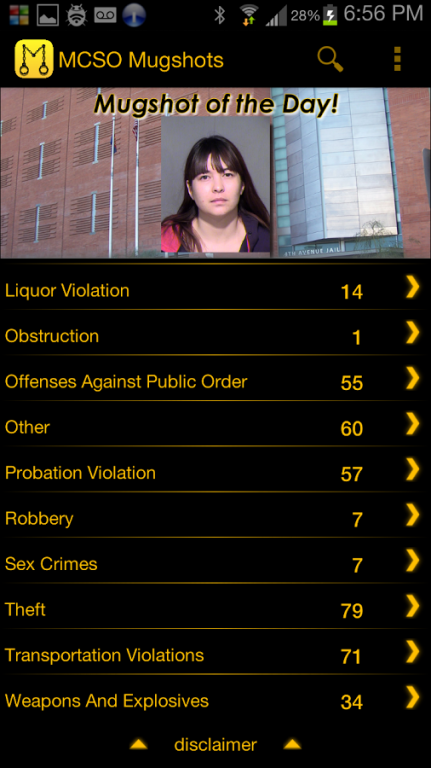
MCSO Mugshots provides up to the minute public information on recent “Maricopa County Sheriff’s Office” arrests. Save family and friends names in the Watchlist and get notified when they have been arrested or are in custody. The only app that lets you VOTE FOR MUGSHOT OF THE DAY! A true must have app!
Features.
Browse recent MCSO arrests.
Vote for Mugshot of the Day.
Search By First and Last Name.
Get notified when a friend or loved one has been arrested.
Save Mugshots to view at a later time.
Share Mugshots via Facebook.
New Features Coming Soon!
This app is NOT associated with Maricopa County in any way.
All data in app is gathered from external sources.
Support
If you have any questions or concerns, please contact technical support.
City Search
Chandler, Gilbert, Mesa, Phoenix, Queen Creek, Scottsdale, Sun Lakes, Tempe, Apache Junction, Carefree, Cave Creek, For McDowell Yavapai Nation, Fountain Hills, Paradise Valley, Salt River Pima, Peoria, Aquila, Avondale, Buckeye, El Mirage, Glendale, Goodyear, Litchfield Park, Sun City, Sun City West, Surprise, Wickenburg, Youngtown, Gila Bend, Gila River Indian Community, Guadalupe, Sentinel, Tohono O’ Odham Nation and Tolleson.
About MCSO Mugshots
The company that develops MCSO Mugshots is B.I.U. Apps. The latest version released by its developer is 1.6.8. This app was rated by 19 users of our site and has an average rating of 3.7.
To install MCSO Mugshots on your Android device, just click the green Continue To App button above to start the installation process. The app is listed on our website since 2015-09-18 and was downloaded 829 times. We have already checked if the download link is safe, however for your own protection we recommend that you scan the downloaded app with your antivirus. Your antivirus may detect the MCSO Mugshots as malware as malware if the download link to com.blazeitupaz.mcso_mugshots is broken.
How to install MCSO Mugshots on your Android device:
- Click on the Continue To App button on our website. This will redirect you to Google Play.
- Once the MCSO Mugshots is shown in the Google Play listing of your Android device, you can start its download and installation. Tap on the Install button located below the search bar and to the right of the app icon.
- A pop-up window with the permissions required by MCSO Mugshots will be shown. Click on Accept to continue the process.
- MCSO Mugshots will be downloaded onto your device, displaying a progress. Once the download completes, the installation will start and you'll get a notification after the installation is finished.
Program Details
System requirements
Download information
Pricing
Version History
version 1.6.8
posted on 2015-09-18
Sorry for the delay on the fixes/updates.
